
Last minute event changes are inevitable. What turns them into a crisis is not the change itself, but the lack of a repeatable process: unclear ownership, multiple “versions of the truth”, and ad-hoc communication that creates confusion faster than the original issue.
This guide gives you a simple, professional workflow to handle last minute event changes like a normal operating procedure—so your team stays aligned, attendees stay confident, and the event stays on track.
1. Start with a rule: one source of truth, always
If last minute event changes can be updated in ten places, they will be. The first strategic decision is to define a single official reference for attendees and a single internal reference for staff.
Attendees: a mobile event website or event app with an always-updated agenda and practical info.
Team: a shared run-of-show document owned by one person (and accessible to all key roles).
If you use conf.app as your attendee-facing source of truth, start from the setup hub and keep the event basics consistent (timezone, rooms, agenda).
2. Build a “change triage” that takes 60 seconds
When a change comes in, your first job is to classify it—not to blast messages. This 60-second triage prevents your team from treating every tweak like an emergency. Use 3 levels: A. Safety / access critical, B. Movement / schedule critical, and C. Nice-to-know.
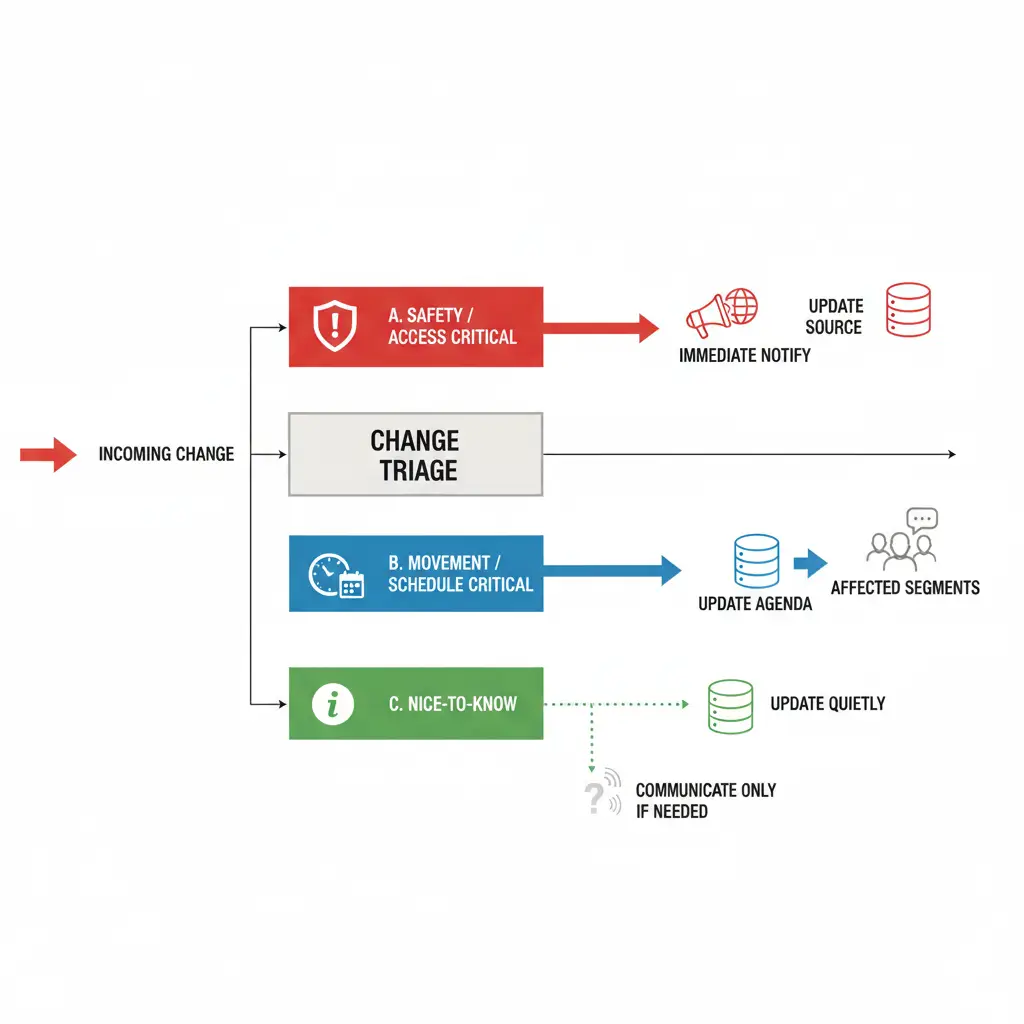
A. Safety / access critical
Examples: building closure, security restriction, major transport disruption.
Action: notify widely and immediately, then update the source of truth.
B. Movement / schedule critical
Examples: room change, time change, cancellation, speaker swap.
Action: update agenda first, then communicate to the affected audience segments.
C. Nice-to-know
Examples: minor sequencing, optional activity detail, small catering note.
Action: update quietly in the source of truth; communicate only if it reduces questions.
3. Assign ownership: one decider, one updater, one messenger
Last minute event changes collapse when “everyone handles it.” Define 3 roles: Decider (confirms the change), Updater (updates master documents), and Messenger (pushes communication).
- Decider: confirms the change (yes/no) and impact.
- Updater: updates the master documents (internal run-of-show + attendee-facing agenda).
- Messenger: pushes the communication (app/site update, announcement, staff brief).
One person can hold two roles on small events, but the responsibilities must still be explicit.
4. Design the update pipeline in the right order
To prevent contradictions, always update in this sequence:
1) Update internal run-of-show,
2) Update attendee source of truth,
3) Notify internal teams,
4) Notify attendees. Only notify attendees once staff can support the change.

If you manage your agenda in conf.app, session timing changes should be made directly in the agenda so the updated schedule becomes instantly consistent for everyone. (Read more)
5. Make rooms and naming conventions “change-friendly”
Room confusion is the fastest way to create chaos. Make your room model easy to update and easy to understand: Use campus/venue names attendees recognize (Building + Floor + Room). Avoid internal abbreviations (B2, R12) unless they are clearly explained.
If you use conf.app, define rooms/venues once and reuse them consistently across sessions (More informations).
6. Communicate with templates (not improvisation)
During last minute event changes, clarity beats detail. Use a short structure that always answers: What changed? Who is affected? What should they do now? Where is the latest official info? Your templates should exist before event day. That’s what makes change feel normal.
7. Reduce attendee anxiety by making information easy to find

Most “chaos” is actually attendee uncertainty: people don’t know what’s official. A professional strategy is to reduce questions at the source by centralizing practical info: Wi-Fi, maps, help desk hours, arrival instructions, contacts.
With conf.app, you can structure key info and invite attendees to access the app via a single link/QR (Read more).
8. Plan for controlled access when needed
For orientation, internal corporate events, or any restricted audience, decide early if you need access control. A simple password gate can prevent link-sharing issues and reduce support noise. In conf.app, private access can be configured here.
9. Add buffers and “flex slots” so changes don’t cascade
A process helps, but the schedule design matters too: Add 5–10 minute buffers after high-risk sessions. Avoid tight room-to-room transfers without transition time. Use a flexible block (networking, break, open Q&A) that can absorb delays.

10. Run one rehearsal scenario (15 minutes) before doors open
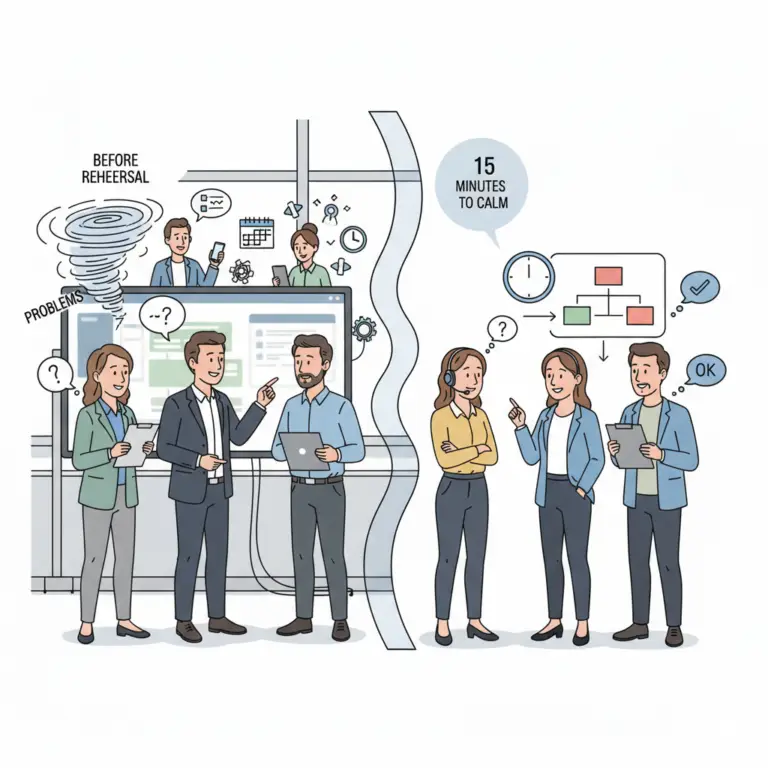
Pick one realistic scenario: Speaker late by 20 minutes, Room unavailable, or Outdoor activity moved indoors. Then walk through your triage and pipeline. If you can’t do it calmly in rehearsal, you won’t do it calmly live.
11. Post-event: build your “change playbook” over time
After the event, log: What changed? What caused confusion? Which message worked? Which role was unclear? Your goal is to make next time easier by upgrading your playbook—not by hoping you’ll be lucky.
Where conf.app fits
If you want a lightweight attendee-facing source of truth for in-person events, conf.app can serve as the place where the agenda and practical info stay current. Learn more at https://conf.app/ and use the documentation hub to set up repeatable events.
“Last minute event changes will keep happening. The strategic difference is whether you treat them as a personal crisis or as a normal process.”